> ## Documentation Index
> Fetch the complete documentation index at: https://help.comdesk.com/llms.txt
> Use this file to discover all available pages before exploring further.

# ComDesk Phone ログイン方法

> ComDesk PhoneへのEmail/Passwordを使ったログイン手順をご案内します。

ComDesk Phoneのログイン方法をご説明します。

<Info>
  **関連記事**

  ComDesk Phoneのインストール方法についての記事はこちらをご確認ください。

  * MacOSは[こちら](/features/advanced/14508506030489)
  * WindowsOSは[こちら](/features/advanced/14502240732825)
</Info>

<Steps>
  <Step title="ComDesk Phoneを開く">
    ComDesk Phoneを開きます。
  </Step>

  <Step title="ログイン情報を入力">
    ログイン画面でComdesk Leadでログインしている情報（Email / Password）を入力し、「LOGIN」ボタンをクリックしてください。

    | 項目名      | 入力する情報      |
    | -------- | ----------- |
    | Email    | Lead ユーザーID |
    | Password | Lead パスワード  |

    <Frame caption="ComDesk Phone ログイン画面">
      <img src="https://mintcdn.com/comdesk/aR7OfuXjRN7Nre2s/.gitbook/assets/14508544705177_0.png?fit=max&auto=format&n=aR7OfuXjRN7Nre2s&q=85&s=07955fa9ff23d9249912dfd92eaef3ec" alt="ComDesk Phoneのログイン画面（Email / Password入力）" width="988" height="590" data-path=".gitbook/assets/14508544705177_0.png" />
    </Frame>
  </Step>

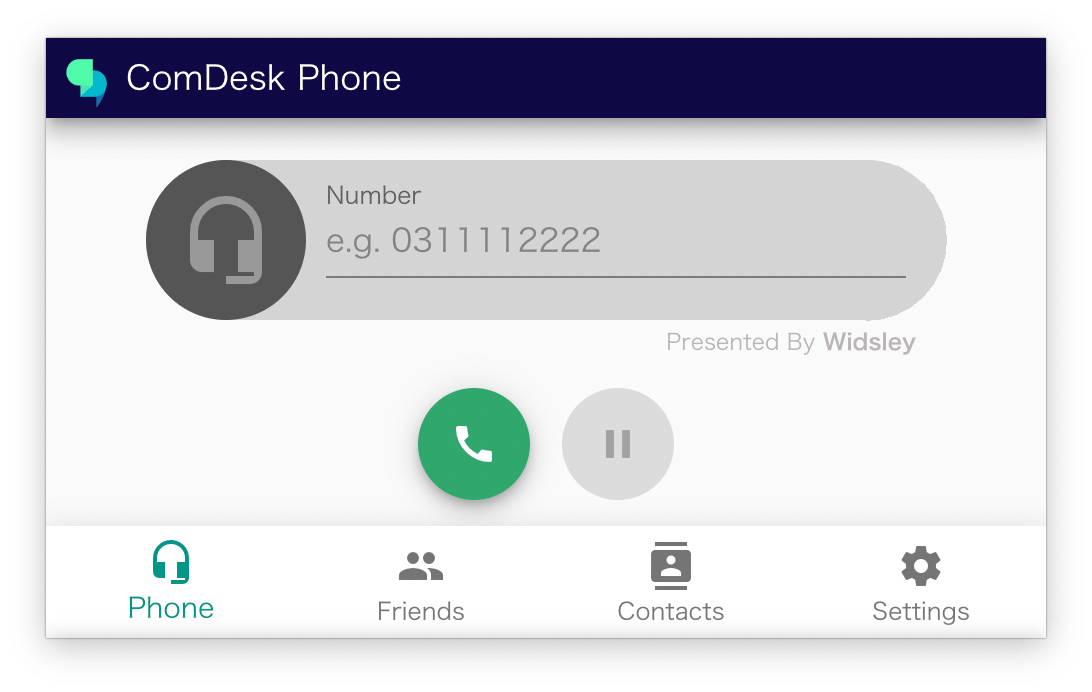
  <Step title="ログイン完了">
    ログインが完了するとこの画面に切り替わります。

    <Frame caption="ログイン完了後の画面">
      <img src="https://mintcdn.com/comdesk/VUMHqG0f6Dn9uZZg/.gitbook/assets/14508544705177_1.png?fit=max&auto=format&n=VUMHqG0f6Dn9uZZg&q=85&s=cb43f25cbbc8ac6a55e8450fe8b38245" alt="ログイン完了後の画面" width="1092" height="692" data-path=".gitbook/assets/14508544705177_1.png" />
    </Frame>
  </Step>
</Steps>