> ## Documentation Index
> Fetch the complete documentation index at: https://help.comdesk.com/llms.txt
> Use this file to discover all available pages before exploring further.
# 再コール機能アップデート(2024/04/30)
2024/04/30夜間のアップデートにて、再コールの一部機能がアップデートされます。
## **再コールダイアログのアップデート**
* ダイアログ内で「再コール設定日時」「プロジェクト」が確認可能になります。(画像①部分)
* 再コールダイアログ内で「禁止」「Mybox」「携帯SMS送信」が可能になります。(画像の②部分)
* ダイアログ中央下で「キャンセル」「再設定」「5分後に再通知」が選択可能になります。(画像③部分)
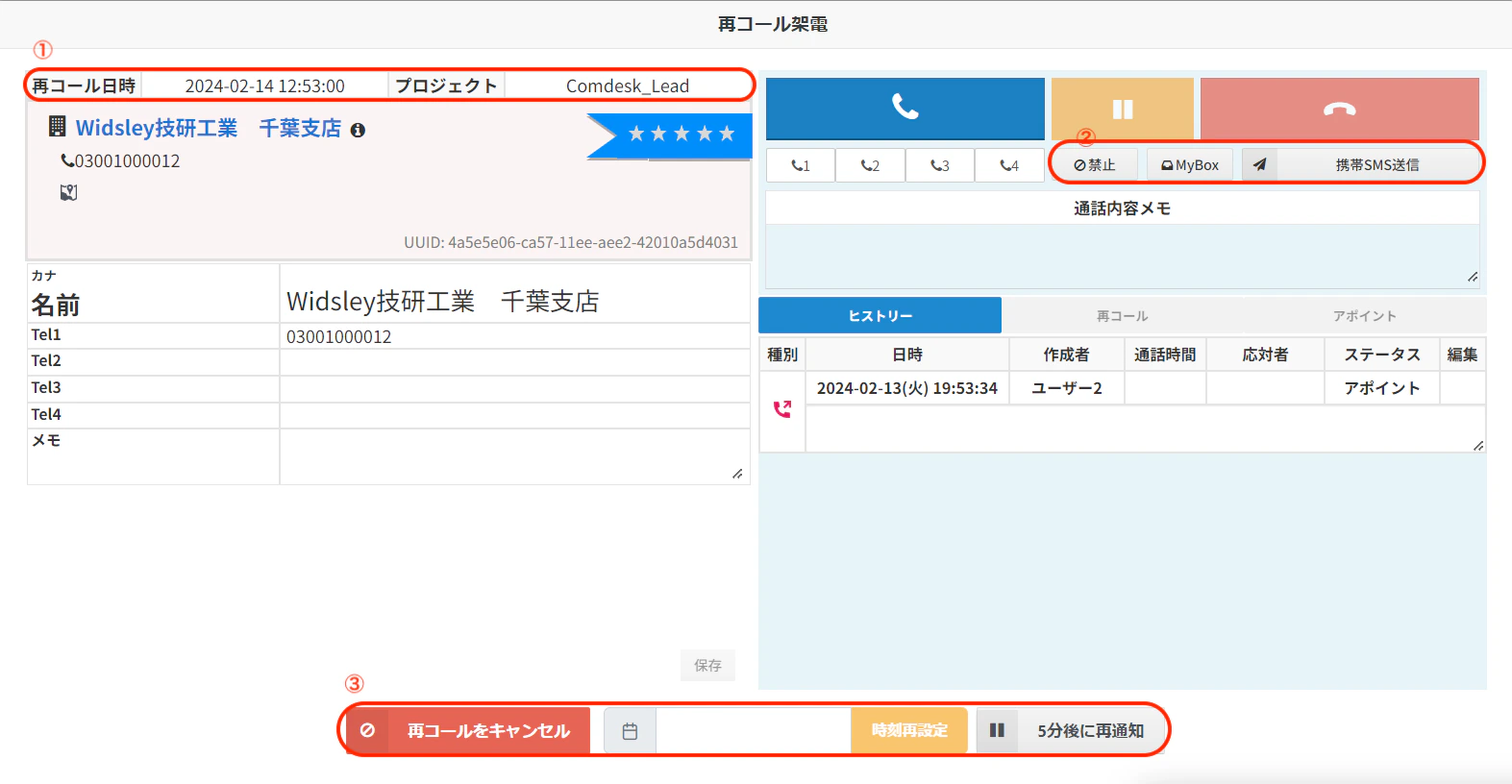 ※再コールダイアログ内の✖ボタンクリックした場合、キャンセル扱いになります。
## **再コール件数のカレンダー表示**
画面右上にカレンダーアイコンが追加され、再コールの予約件数・経過未対応件数の確認が可能になります。カレンダー右下緑色が予約中、左下赤色が経過未対応で表示されます。
※再コールダイアログ内の✖ボタンクリックした場合、キャンセル扱いになります。
## **再コール件数のカレンダー表示**
画面右上にカレンダーアイコンが追加され、再コールの予約件数・経過未対応件数の確認が可能になります。カレンダー右下緑色が予約中、左下赤色が経過未対応で表示されます。
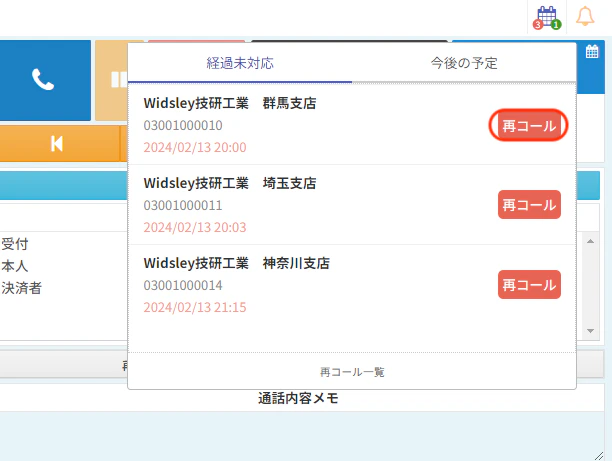
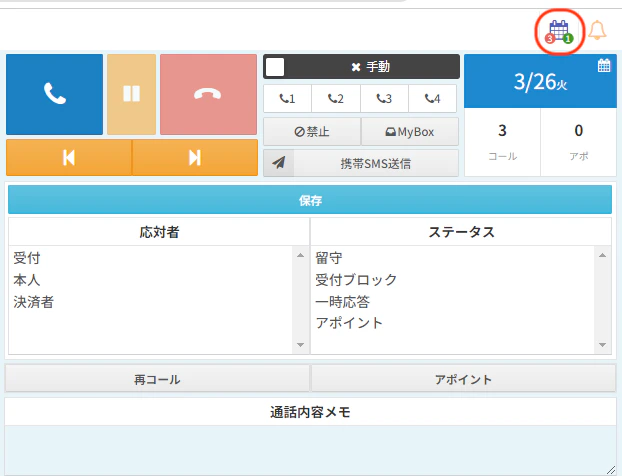 カレンダーをクリックすると「経過未対応」「今後の予定」それぞれで登録した再コールが閲覧が可能となります。
画像赤枠「再コール」をクリック後、ダイヤログから再コールが可能です。
カレンダーをクリックすると「経過未対応」「今後の予定」それぞれで登録した再コールが閲覧が可能となります。
画像赤枠「再コール」をクリック後、ダイヤログから再コールが可能です。
 その他ご不明点などございましたら、[**サポートチームまでお問い合わせ**](#contact)をお願い致します。