> ## Documentation Index
> Fetch the complete documentation index at: https://help.comdesk.com/llms.txt
> Use this file to discover all available pages before exploring further.

# プロジェクトの分割

本記事では、プロジェクト内のリストを分割する方法をご説明します。

1つのプロジェクトを、アポインター毎に無条件に分割したい場合などにご活用いただけます。

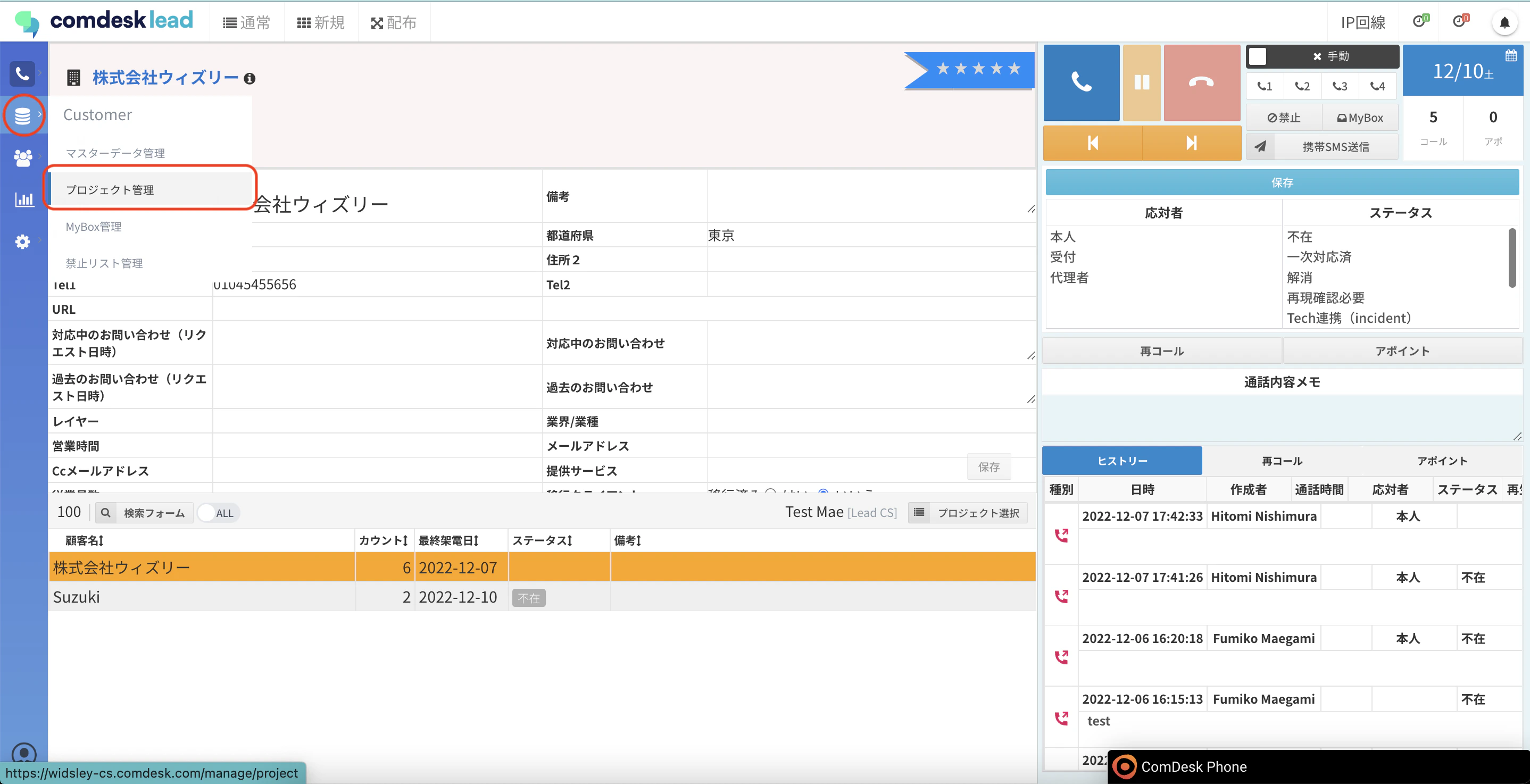
1. 画面左側のCustomerメニューの「プロジェクト管理」をクリックします。\\
   <img src="https://mintcdn.com/comdesk/B8n9wGPcymyLrntu/.gitbook/assets/13704005152665_0.png?fit=max&auto=format&n=B8n9wGPcymyLrntu&q=85&s=fe18046869d359e81708c73919562ec4" alt="CDL_______________.png" width="2876" height="1474" data-path=".gitbook/assets/13704005152665_0.png" />
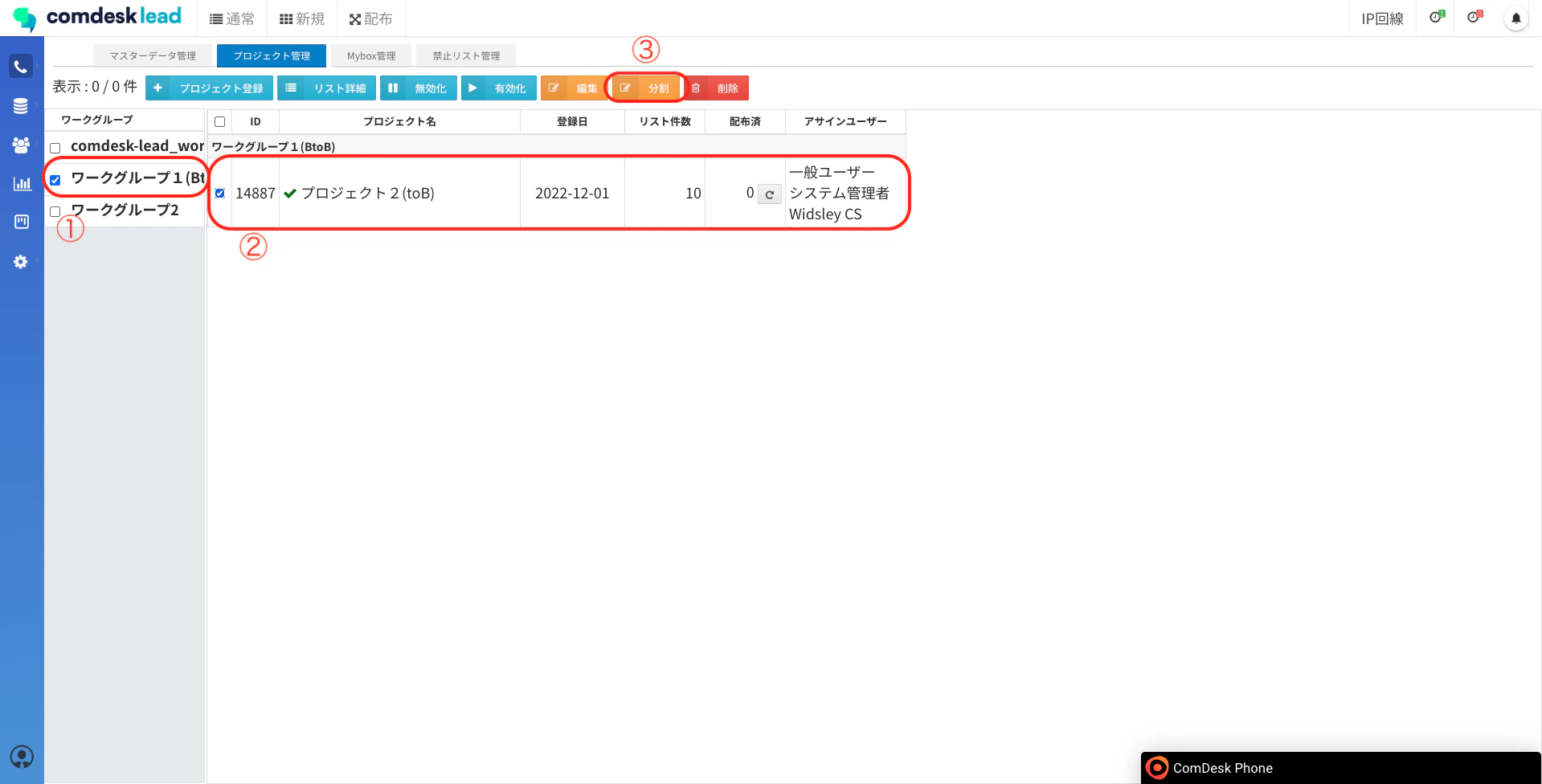
2. プロジェクト管理画面が表示されますので、ワークグループを選択し（①）、プロジェクトを選択し（②）、「分割」ボタン（③）をクリックします。\\
   <img src="https://mintcdn.com/comdesk/B8n9wGPcymyLrntu/.gitbook/assets/13704005152665_1.png?fit=max&auto=format&n=B8n9wGPcymyLrntu&q=85&s=e44c7fc6a62a9b1077c69276f74f2e35" alt="__________2022-12-21_17.25.54.png" width="1919" height="976" data-path=".gitbook/assets/13704005152665_1.png" />
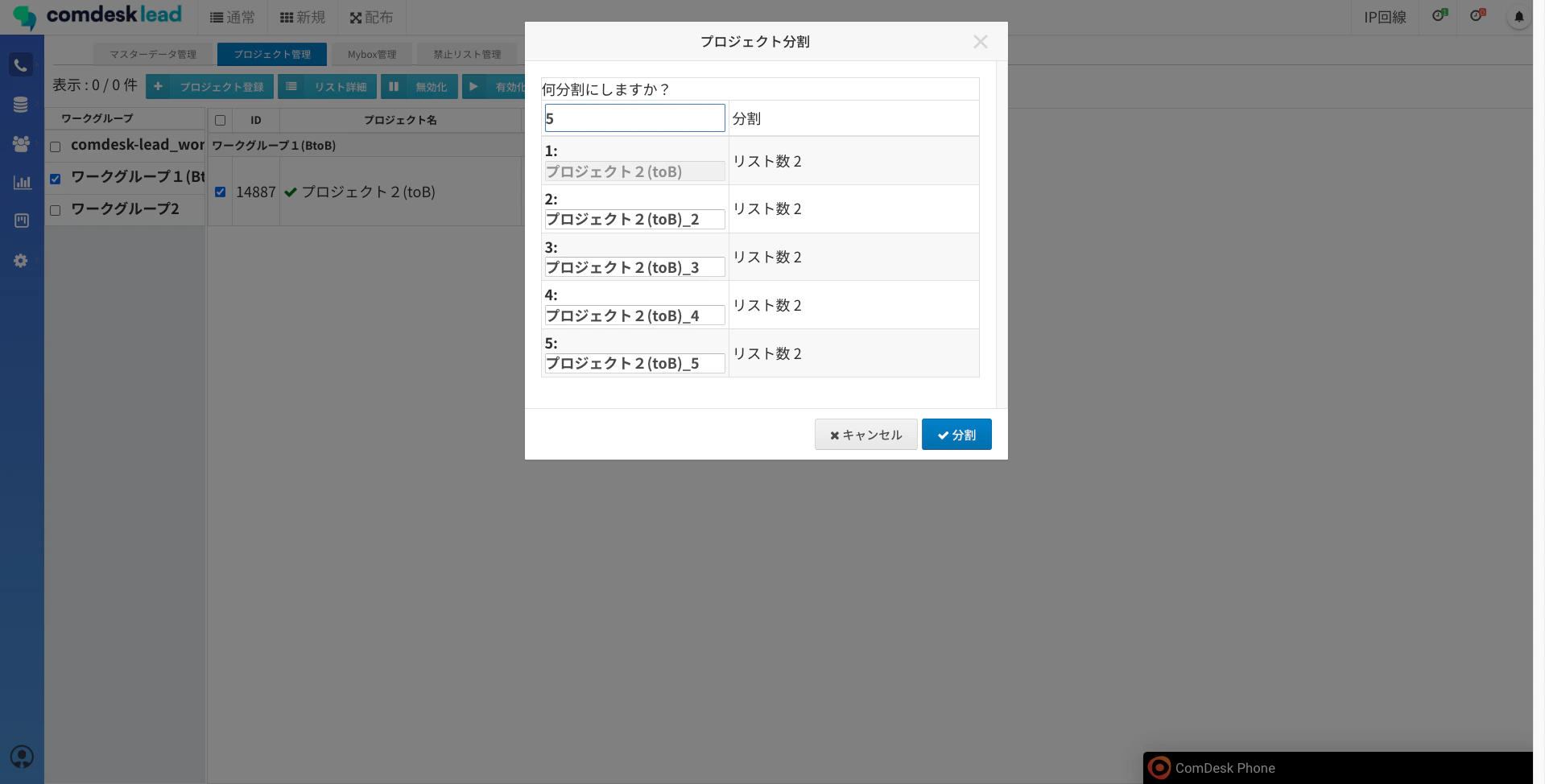
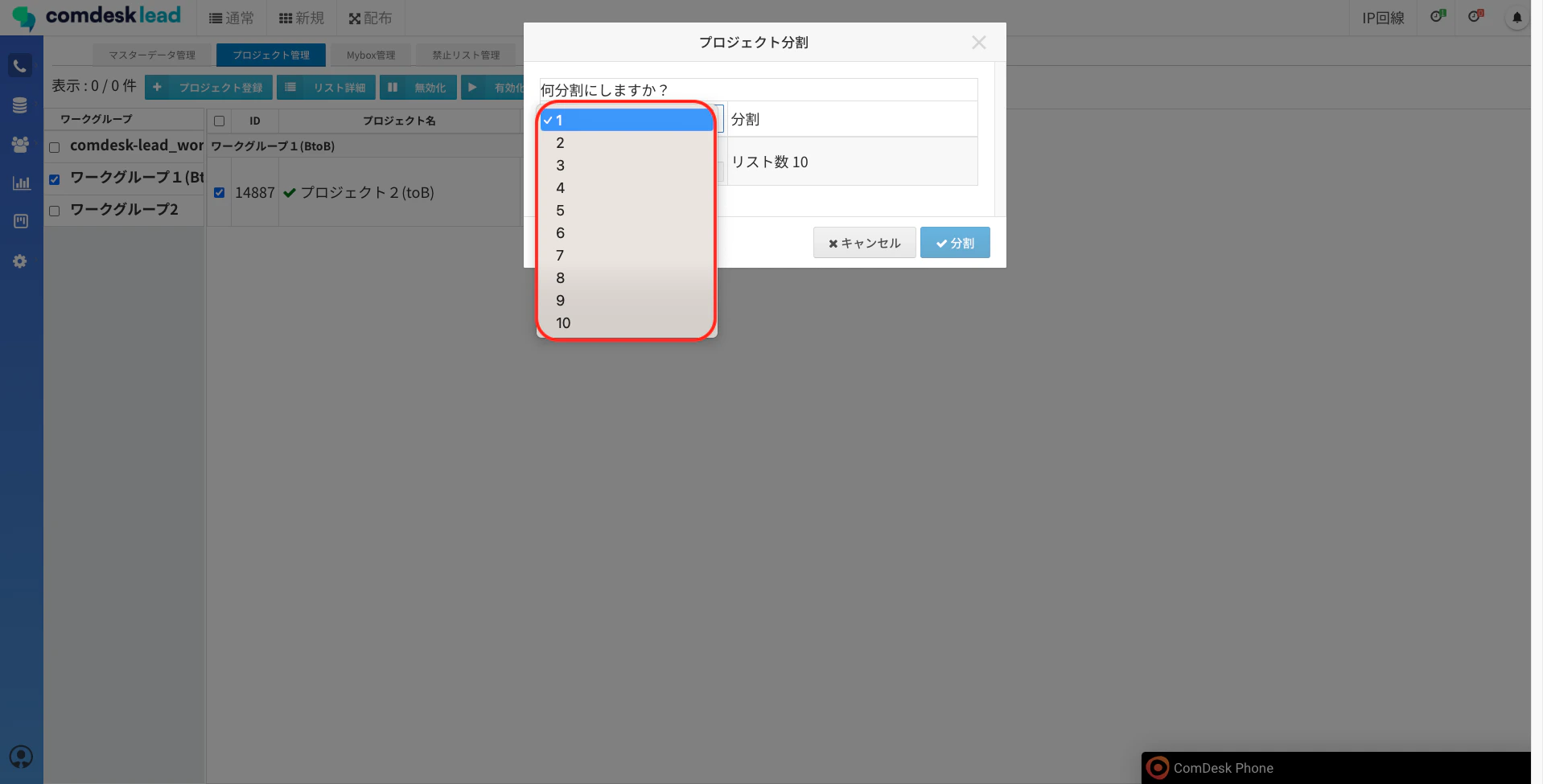
3. プロジェクト分割画面が表示されます。\
   「何分割にしますか？」下のセレクトボックスをクリックすると分割する数を指定できます。\
   ※最大で10分割まで指定できます。\\
   <img src="https://mintcdn.com/comdesk/B8n9wGPcymyLrntu/.gitbook/assets/13704005152665_2.png?fit=max&auto=format&n=B8n9wGPcymyLrntu&q=85&s=ec5bde93776c914874c4d90ec7410de0" alt="__________2022-12-21_17.26.05.png" width="1918" height="975" data-path=".gitbook/assets/13704005152665_2.png" />
4. 分割数を指定すると、分割後のプロジェクト名とリスト数が表示されますので、以下を入力して「分割」ボタンをクリックします。\
   プロジェクト名：入力項目　ただし、分割元プロジェクト名は変更不可です。\
   リスト数：入力項目　初期状態は均等に割り振られますが、変更可能です。\\
   <img src="https://mintcdn.com/comdesk/B8n9wGPcymyLrntu/.gitbook/assets/13704005152665_3.png?fit=max&auto=format&n=B8n9wGPcymyLrntu&q=85&s=34f523a32af61970d5dce4f91ae02b77" alt="__________2022-12-21_17.26.24.png" width="1919" height="974" data-path=".gitbook/assets/13704005152665_3.png" />
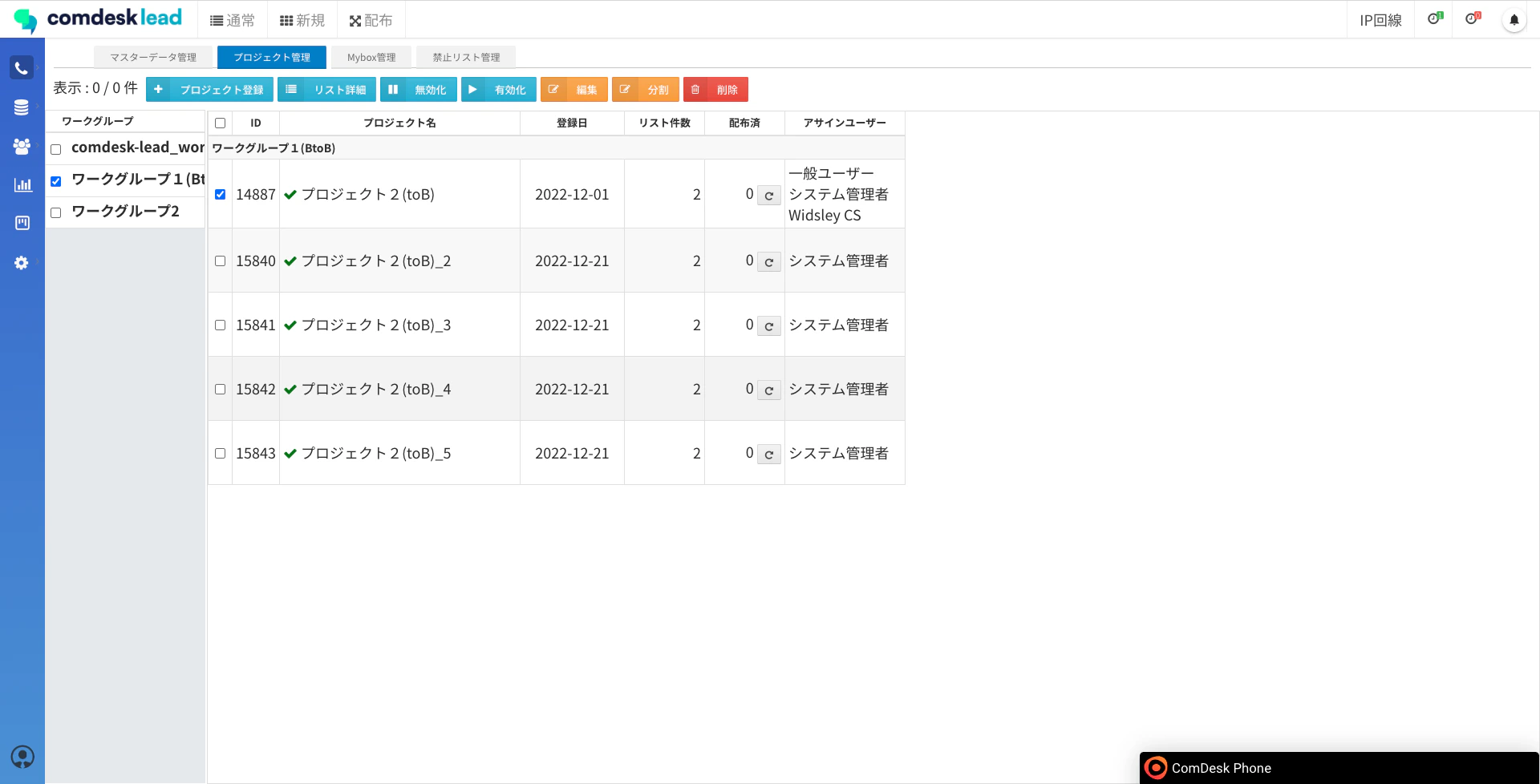
5. プロジェクトの分割が完了しました。\\
   <img src="https://mintcdn.com/comdesk/B8n9wGPcymyLrntu/.gitbook/assets/13704005152665_4.png?fit=max&auto=format&n=B8n9wGPcymyLrntu&q=85&s=26957178a4d08fb5dfc31618109dd723" alt="__________2022-12-21_17.32.28.png" width="1920" height="978" data-path=".gitbook/assets/13704005152665_4.png" />

その他ご不明点などございましたら、[**サポートチームまでお問い合わせ**](#contact)をお願い致します。