> ## Documentation Index
> Fetch the complete documentation index at: https://help.comdesk.com/llms.txt
> Use this file to discover all available pages before exploring further.

# パイプライン機能：取引を作成する

## **パイプラインの取引作成**

パイプラインで管理する取引を作成します。

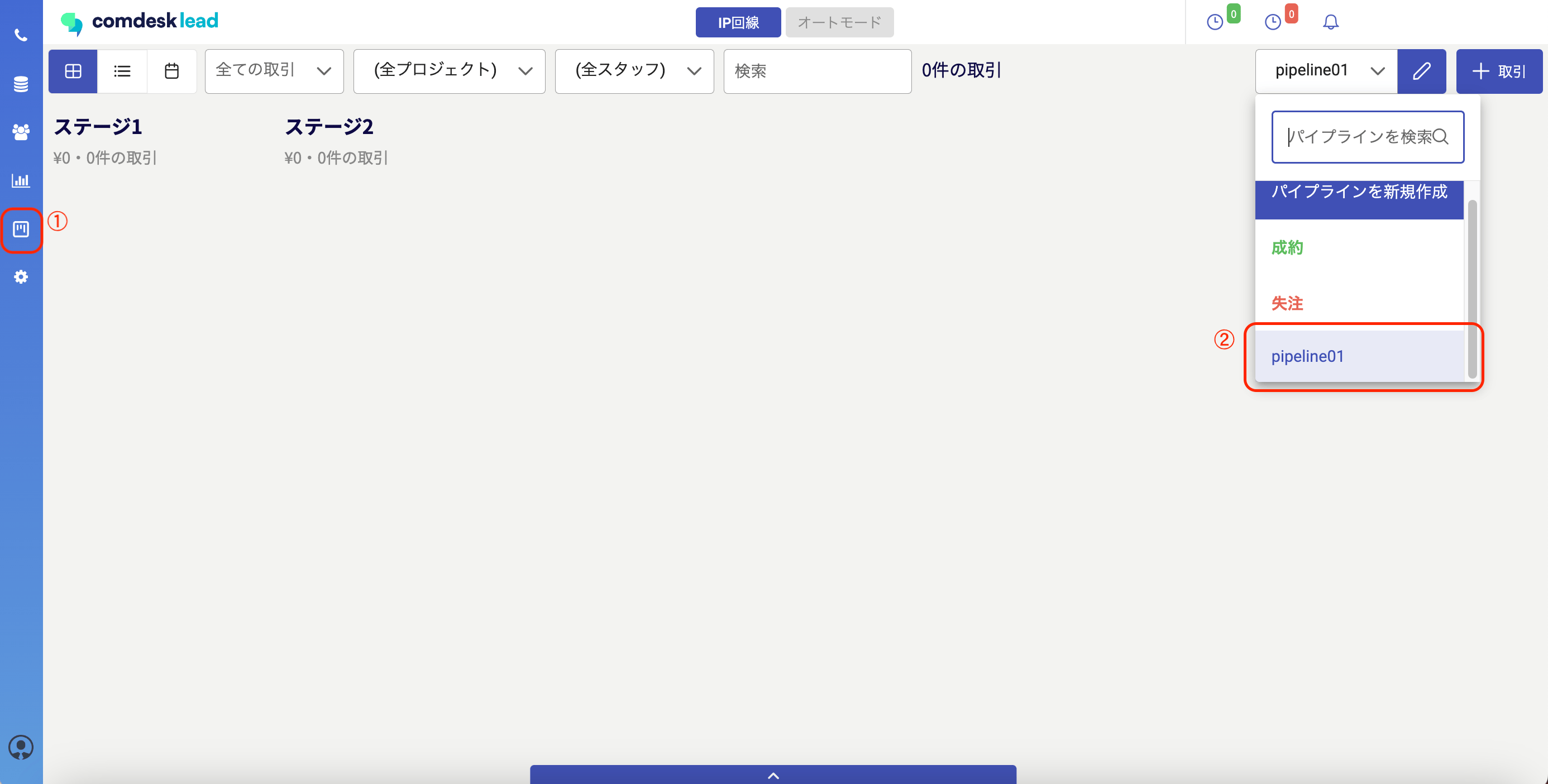
1\. パイプラインメニューを開き（①）、対象となるパイプラインをクリックします（②）。

<img src="https://mintcdn.com/comdesk/vmaqu-pyNp6nkOSl/.gitbook/assets/14661328574105_0.png?fit=max&auto=format&n=vmaqu-pyNp6nkOSl&q=85&s=827afe89e3604a41d8fcced59b495a83" alt="__________2023-01-18_17.54.35.png" width="2772" height="1404" data-path=".gitbook/assets/14661328574105_0.png" />

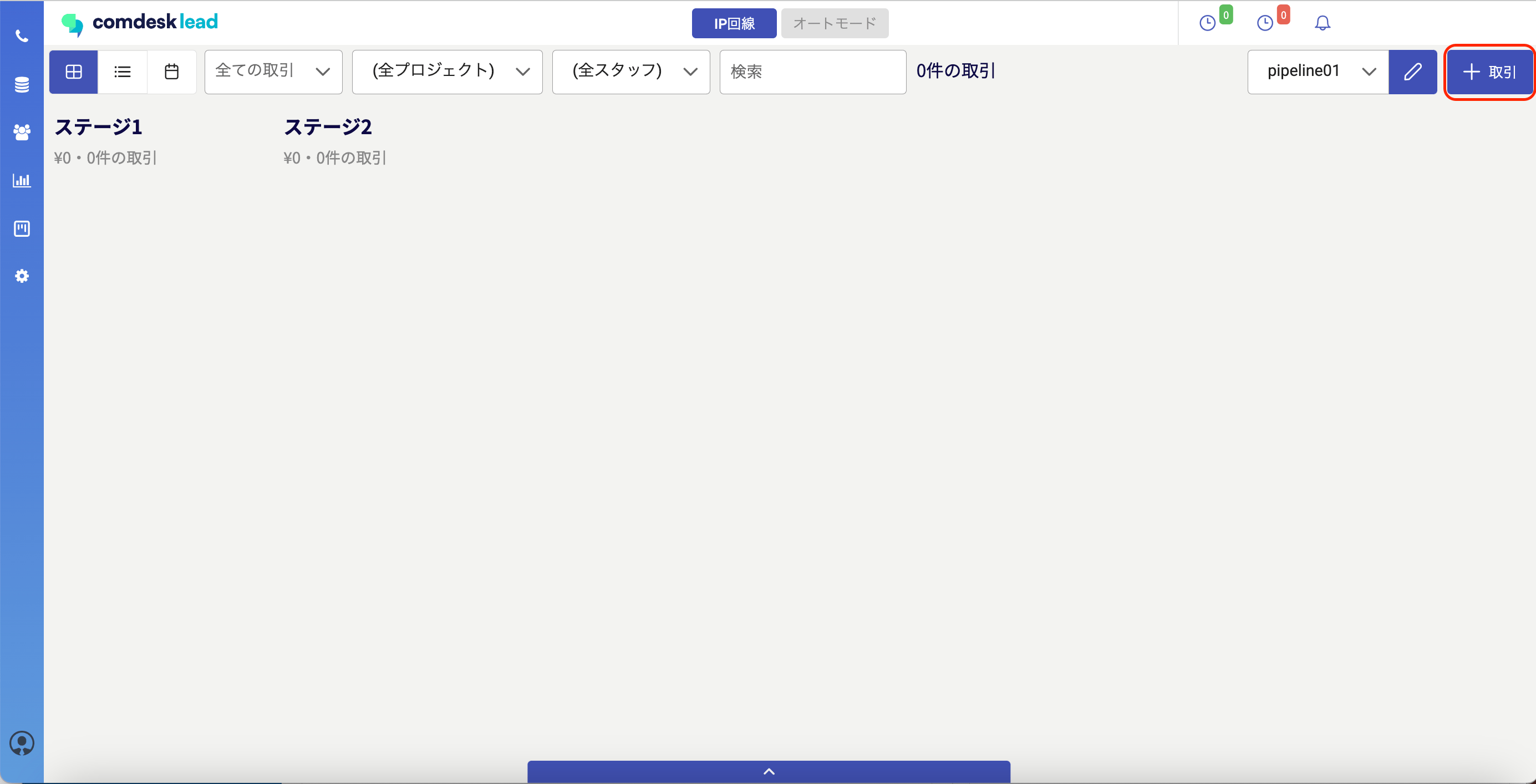
2\. 画面右上の「＋取引」をクリックします。\\

<img src="https://mintcdn.com/comdesk/vmaqu-pyNp6nkOSl/.gitbook/assets/14661328574105_1.png?fit=max&auto=format&n=vmaqu-pyNp6nkOSl&q=85&s=0bc98972dd8976c3efaa4203300ade48" alt="__________2023-01-18_18.09.53.png" width="2770" height="1414" data-path=".gitbook/assets/14661328574105_1.png" />

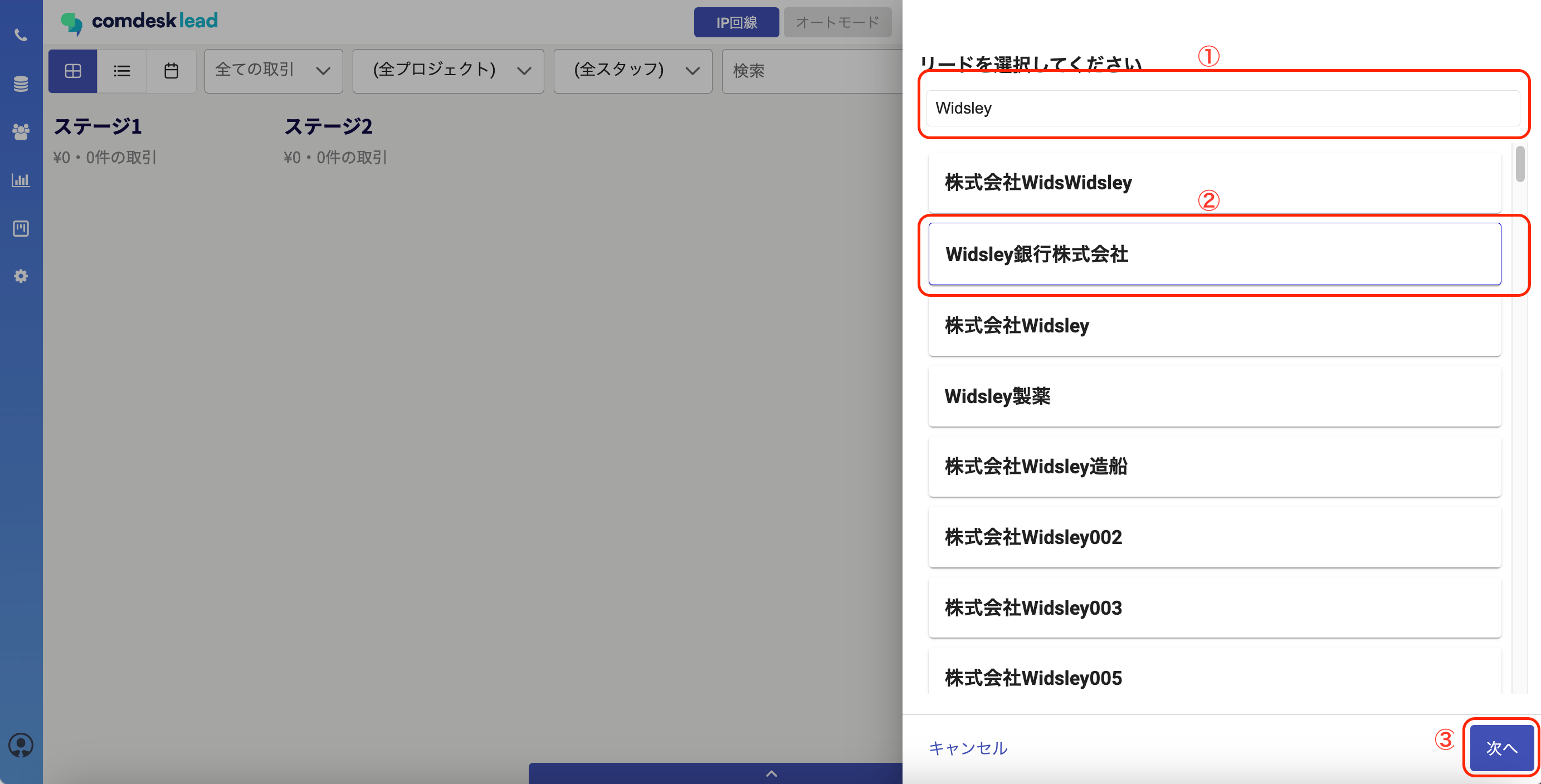
3\. このパイプラインで管理したいリード（リスト）を検索し（①）、選択して（②）、次へをクリックします（③）。\\

<img src="https://mintcdn.com/comdesk/vmaqu-pyNp6nkOSl/.gitbook/assets/14661328574105_2.png?fit=max&auto=format&n=vmaqu-pyNp6nkOSl&q=85&s=15ded24509838851cd15cc713be09770" alt="__________2023-01-18_18.27.10.png" width="2766" height="1408" data-path=".gitbook/assets/14661328574105_2.png" />

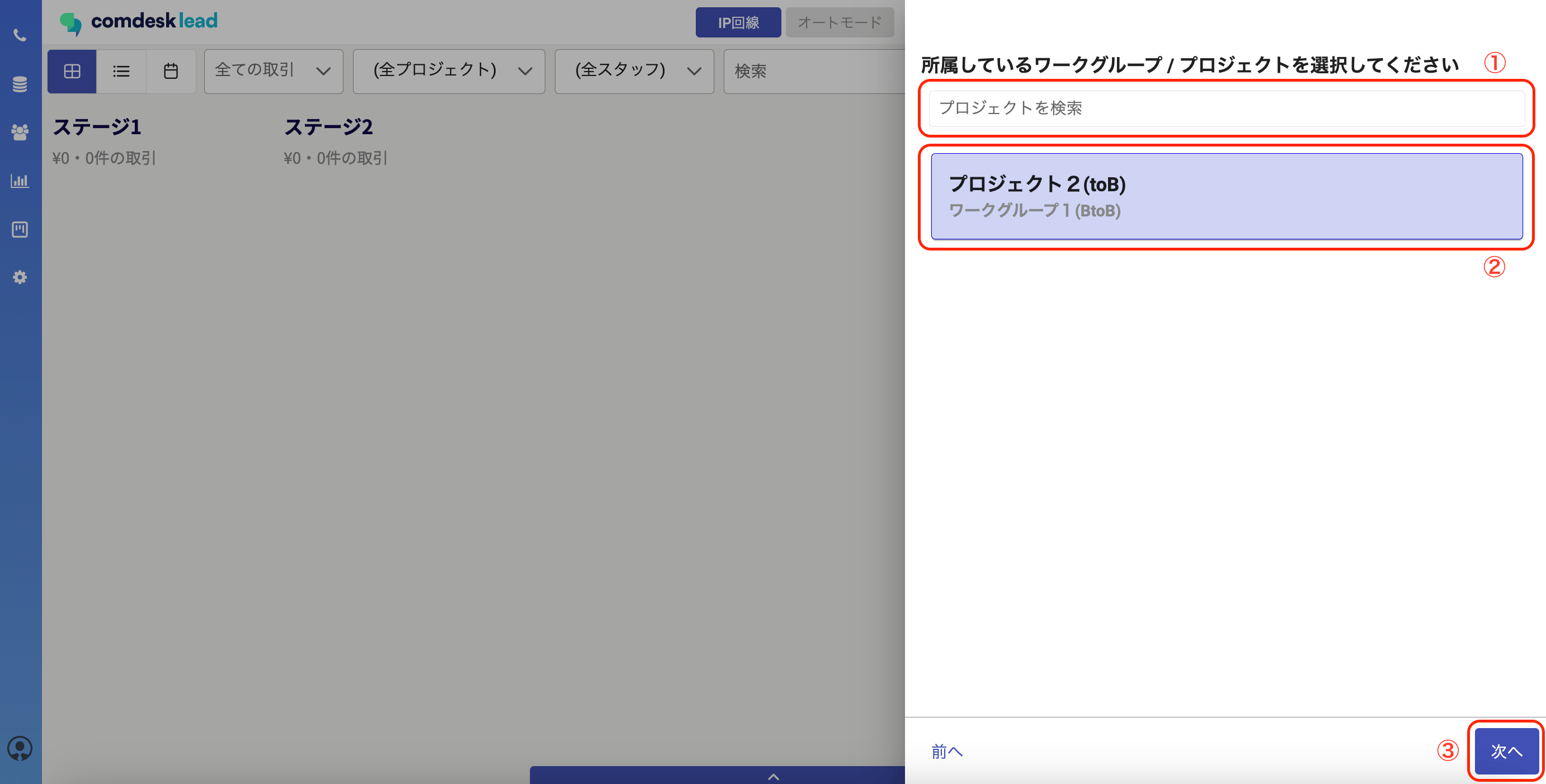
4\. 3で選択したリード（リスト）が所属しているプロジェクトを検索し（①）、選択し（②）、次へをクリックします（③）。\\

<img src="https://mintcdn.com/comdesk/vmaqu-pyNp6nkOSl/.gitbook/assets/14661328574105_3.png?fit=max&auto=format&n=vmaqu-pyNp6nkOSl&q=85&s=8145497c42dcdf07606bb0c6db13631e" alt="__________2023-01-18_18.31.51.png" width="2764" height="1402" data-path=".gitbook/assets/14661328574105_3.png" />

5\. 取引の情報を入力し（①）、保存をクリックします（②）。\
取引情報画面に表示する項目の設定方法については[こちら](13940816117785)をご確認ください。<img src="https://mintcdn.com/comdesk/vmaqu-pyNp6nkOSl/.gitbook/assets/14661328574105_4.png?fit=max&auto=format&n=vmaqu-pyNp6nkOSl&q=85&s=6d5f4c08dfefdeb9bc323c03fa52d490" alt="__________2023-01-18_20.05.02.png" width="2766" height="1406" data-path=".gitbook/assets/14661328574105_4.png" />

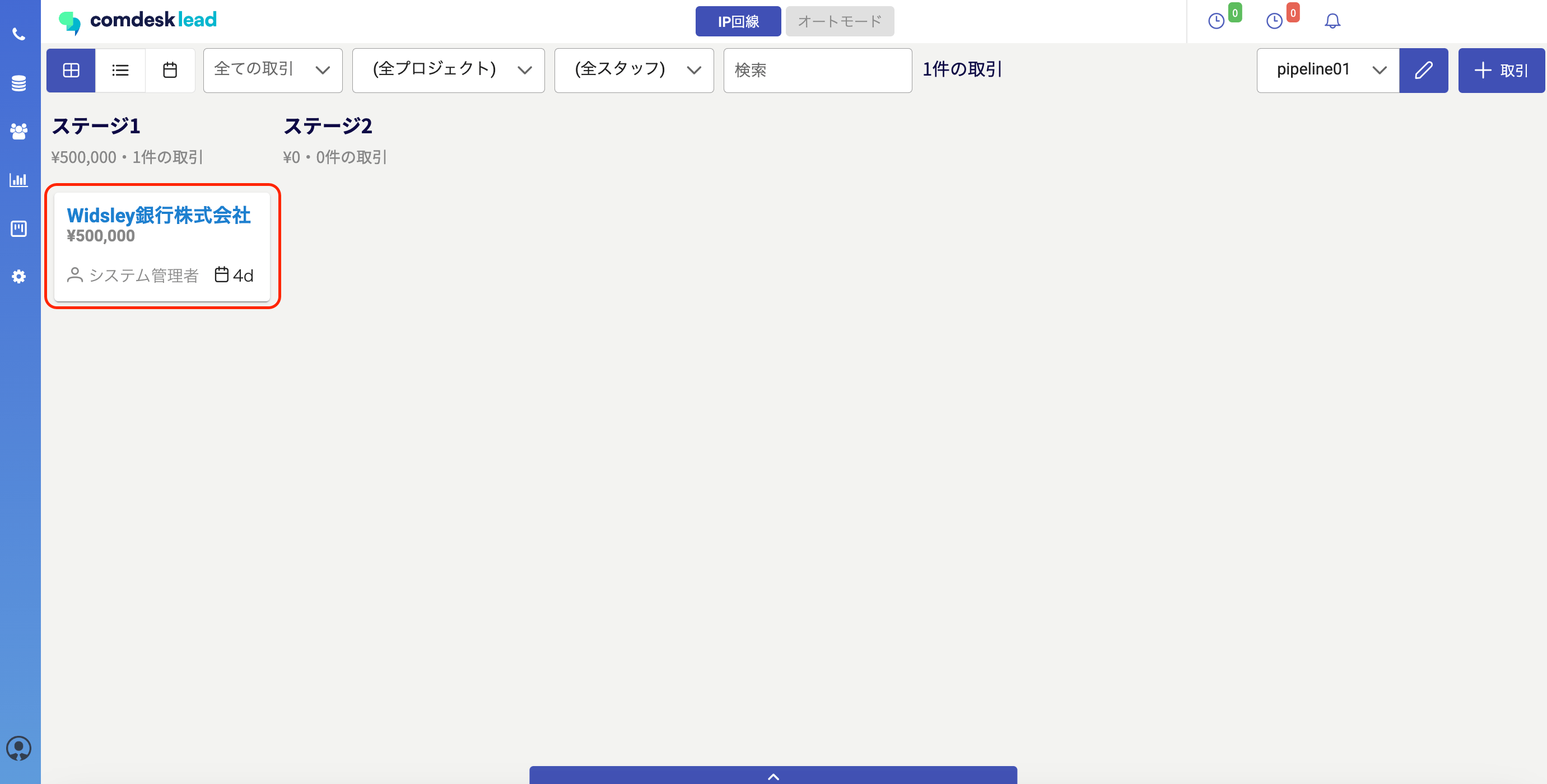
6\. 取引がパイプラインに作成できました。\\

<img src="https://mintcdn.com/comdesk/vmaqu-pyNp6nkOSl/.gitbook/assets/14661328574105_5.png?fit=max&auto=format&n=vmaqu-pyNp6nkOSl&q=85&s=045f1bfcb984dd740225f286c6d8eeaf" alt="__________2023-01-18_20.07.00.png" width="2762" height="1400" data-path=".gitbook/assets/14661328574105_5.png" />

その他ご不明点などございましたら、[**サポートチームまでお問い合わせ**](#contact)をお願いいたします。