> ## Documentation Index
> Fetch the complete documentation index at: https://help.comdesk.com/llms.txt
> Use this file to discover all available pages before exploring further.

# パイプライン機能：取引を移動する（ステージ移動・パイプライン間移動）

## **1. ステージを移動させる**

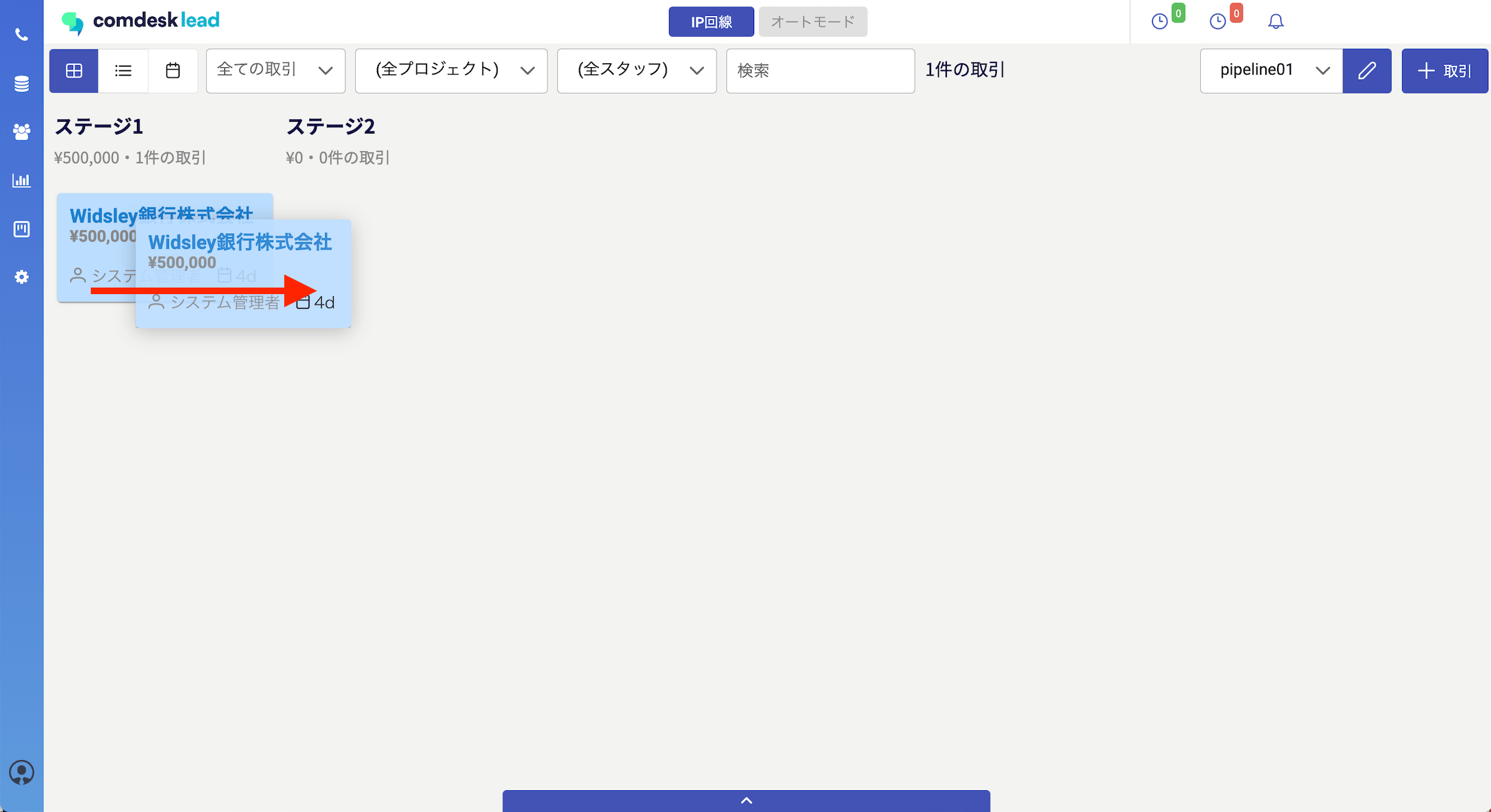
移動させたい取引をドラッグ＆ドロップでステージ移動させることができます。\
<img src="https://mintcdn.com/comdesk/vmaqu-pyNp6nkOSl/.gitbook/assets/14698240513049_0.png?fit=max&auto=format&n=vmaqu-pyNp6nkOSl&q=85&s=ee224ddb16a9aecd0691b0603d7bd89f" alt="__________2023-01-19_11.26.44.png" width="2266" height="1234" data-path=".gitbook/assets/14698240513049_0.png" />\
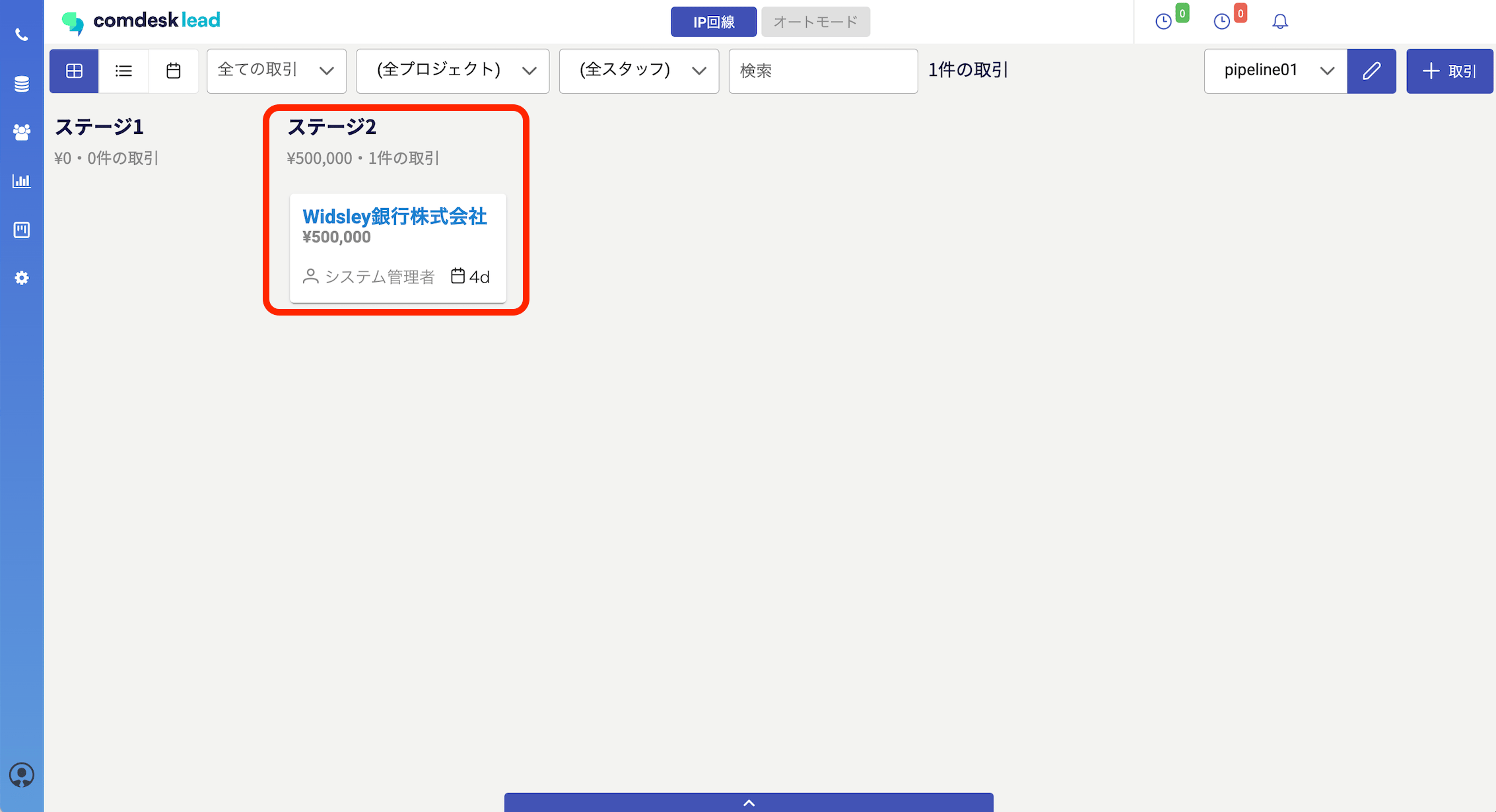
ステージ1からステージ2に移動できました。\\

<img src="https://mintcdn.com/comdesk/vmaqu-pyNp6nkOSl/.gitbook/assets/14698240513049_1.png?fit=max&auto=format&n=vmaqu-pyNp6nkOSl&q=85&s=a7a9eb7f03ca7ff38d46953ce7dbeda0" alt="__________2023-01-19_11.28.06.png" width="2266" height="1230" data-path=".gitbook/assets/14698240513049_1.png" />

## **2. パイプラインを移動させる**

デフォルトで設定されていて画面下部に出ている「成約」「失注」のパイプラインにもドラッグ＆ドロップで移動させることができます。

※「成約」「失注」以外のパイプラインに移動させたい場合は、[こちら](13538915677209)　のパイプライン間移動設定をご確認ください。
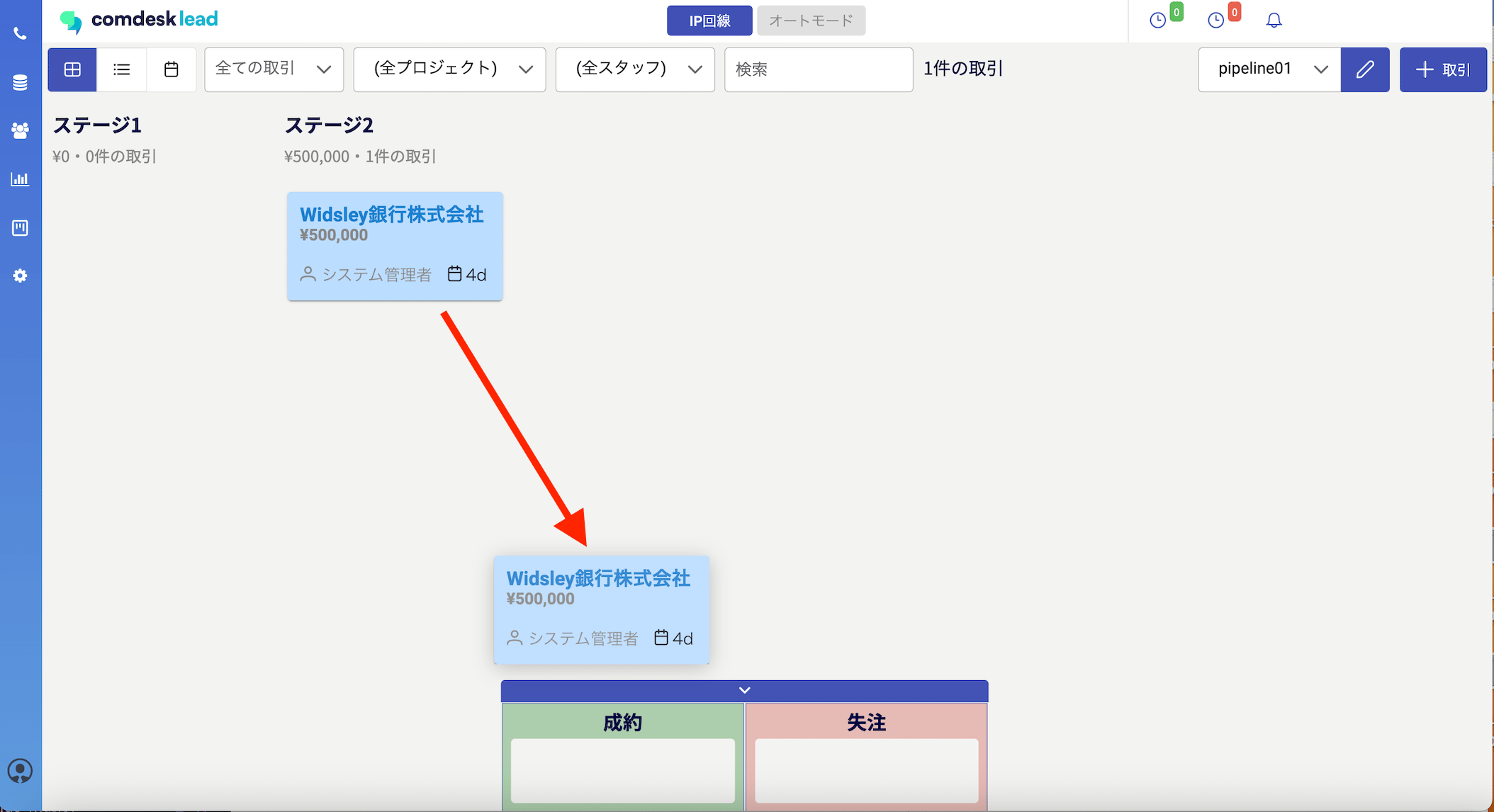
<img src="https://mintcdn.com/comdesk/vmaqu-pyNp6nkOSl/.gitbook/assets/14698240513049_2.png?fit=max&auto=format&n=vmaqu-pyNp6nkOSl&q=85&s=f145d03f438ef25f256754ae55f36e88" alt="__________2023-01-19_11.38.13.png" width="2108" height="1146" data-path=".gitbook/assets/14698240513049_2.png" />

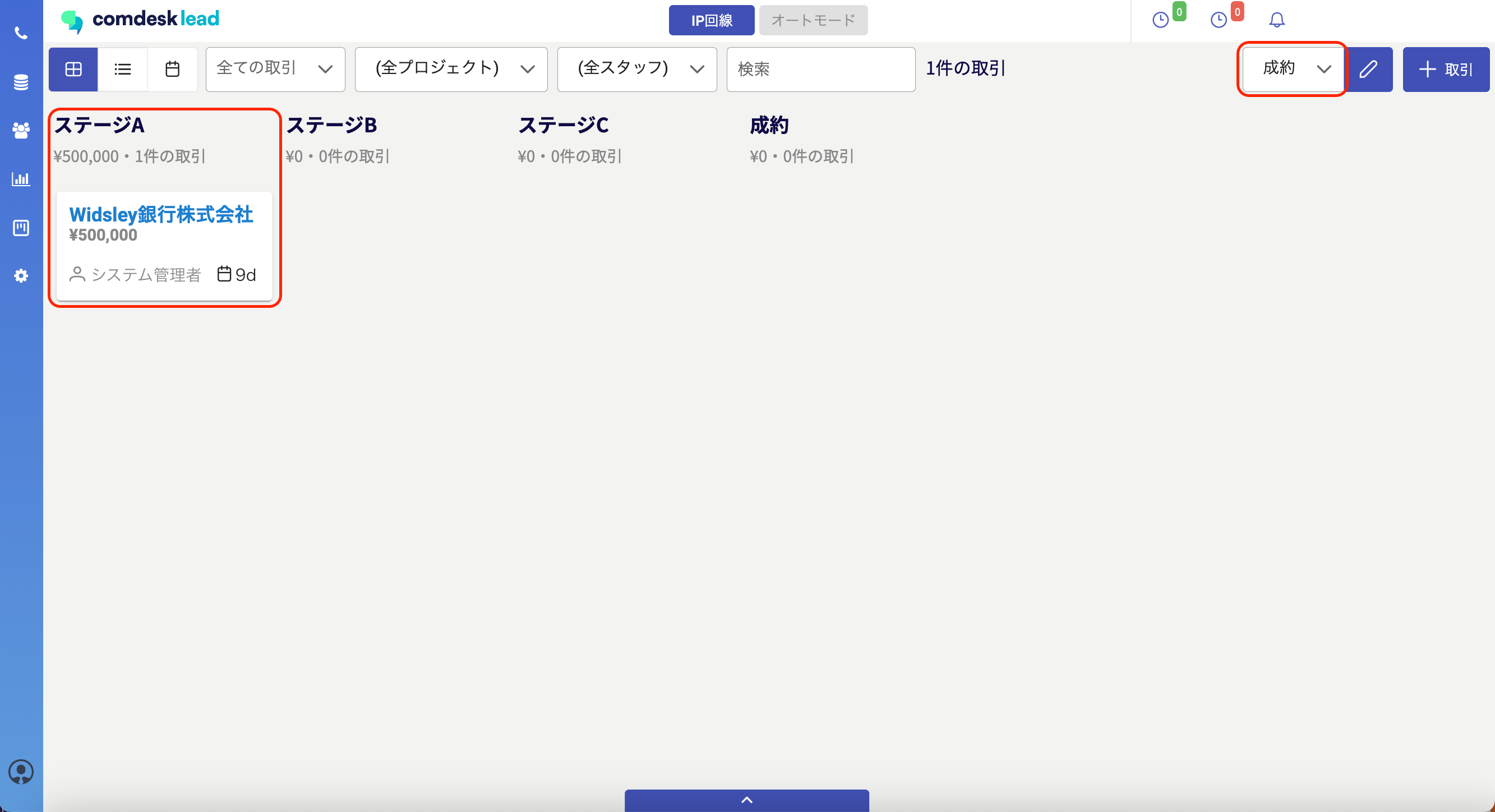
pipeline1のステージ2から成約のパイプラインに移動できました。\\

<img src="https://mintcdn.com/comdesk/vmaqu-pyNp6nkOSl/.gitbook/assets/14698240513049_3.png?fit=max&auto=format&n=vmaqu-pyNp6nkOSl&q=85&s=2ff652d5c2cbc266dc15b0535bfb009f" alt="__________2023-01-19_11.39.34.png" width="2666" height="1448" data-path=".gitbook/assets/14698240513049_3.png" />

その他ご不明点などございましたら、[**サポートチームまでお問い合わせ**](#contact)をお願いいたします。