> ## Documentation Index
> Fetch the complete documentation index at: https://help.comdesk.com/llms.txt
> Use this file to discover all available pages before exploring further.

# 画面点灯時間を設定する

* [**DIGNO® BX2 オンラインマニュアル（取扱説明書）**](https://www.softbank.jp/mobile/support/manual/smartphone/digno-bx2/pdf/)
* [**DIGNO® BX オンラインマニュアル（取扱説明書）**](https://www.softbank.jp/mobile/support/manual/smartphone/digno-bx/)
* [**DIGNO® J オンラインマニュアル（取扱説明書）**](https://www.softbank.jp/mobile/support/manual/smartphone/digno-j/)

スリープするまでの時間を変更します。\
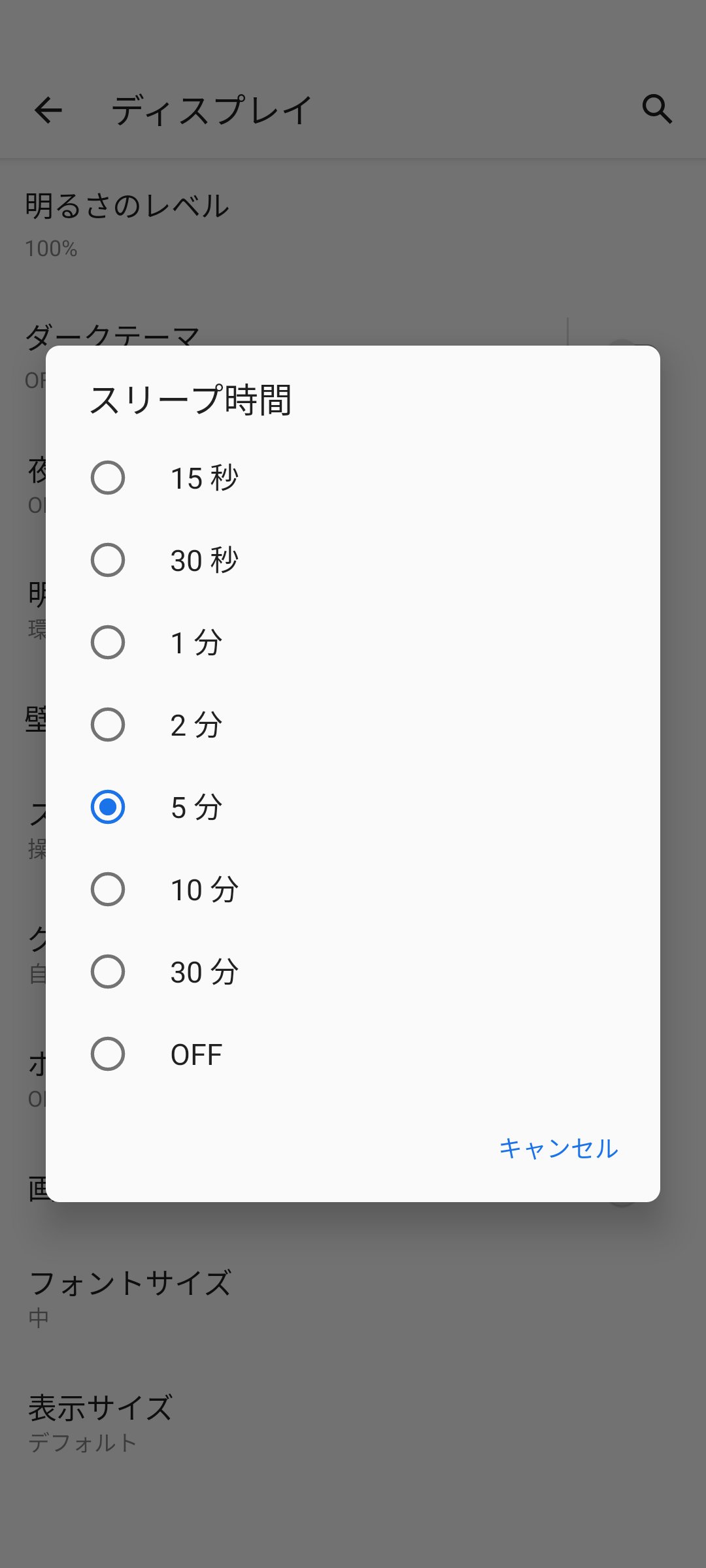
スリープ状態では、Comdesk Leadで架電ができませんので、多くのご利用者様では、充電器を常に差した状態でスリープ時間を「OFF」にされています。

1. スマートフォンの「設定アイコン」をタップします。\\
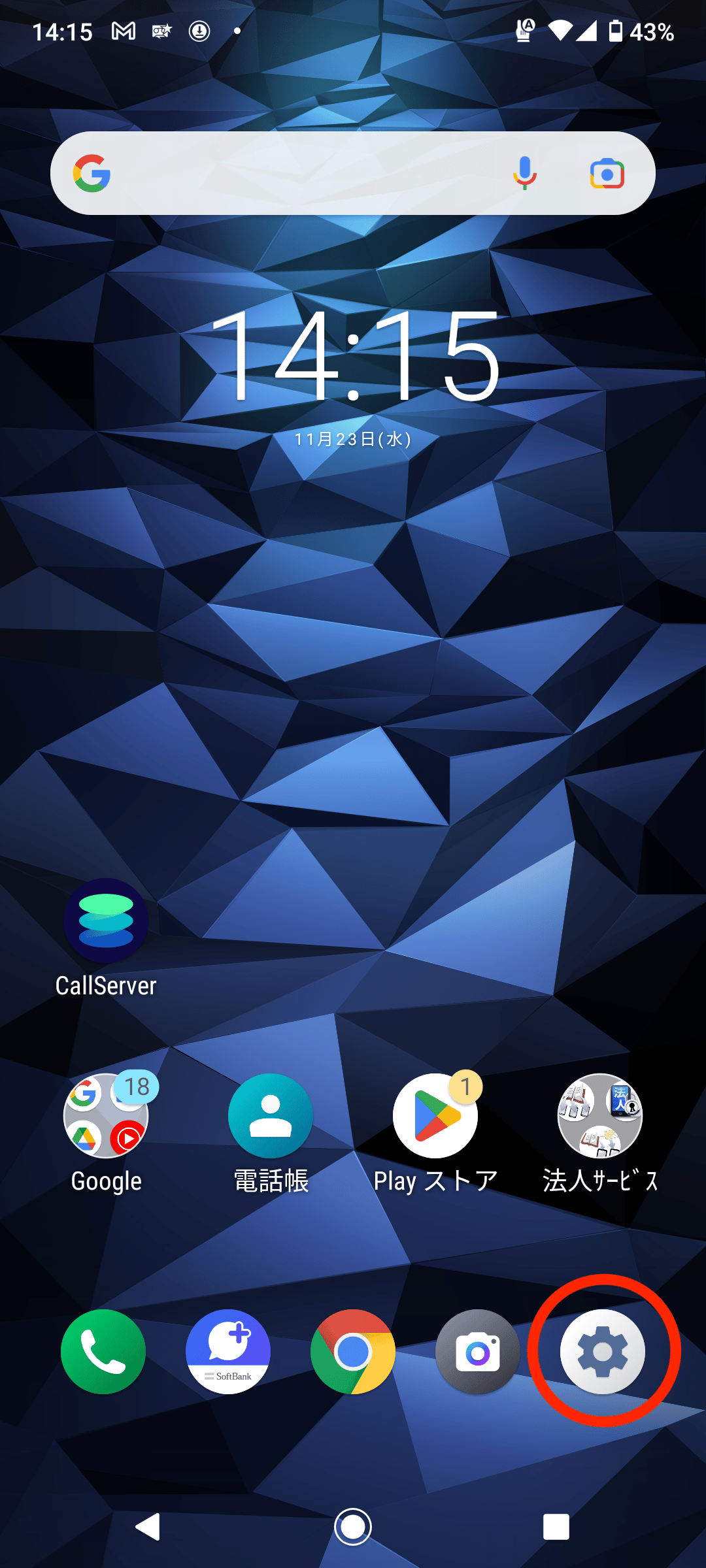
   <img src="https://mintcdn.com/comdesk/VgNeekM5ZhAc0Hxp/.gitbook/assets/12785391736345_0.png?fit=max&auto=format&n=VgNeekM5ZhAc0Hxp&q=85&s=a86500bd245aa7cda5974ea3e54a7362" alt="CS__________top.png" width="1080" height="2400" data-path=".gitbook/assets/12785391736345_0.png" />
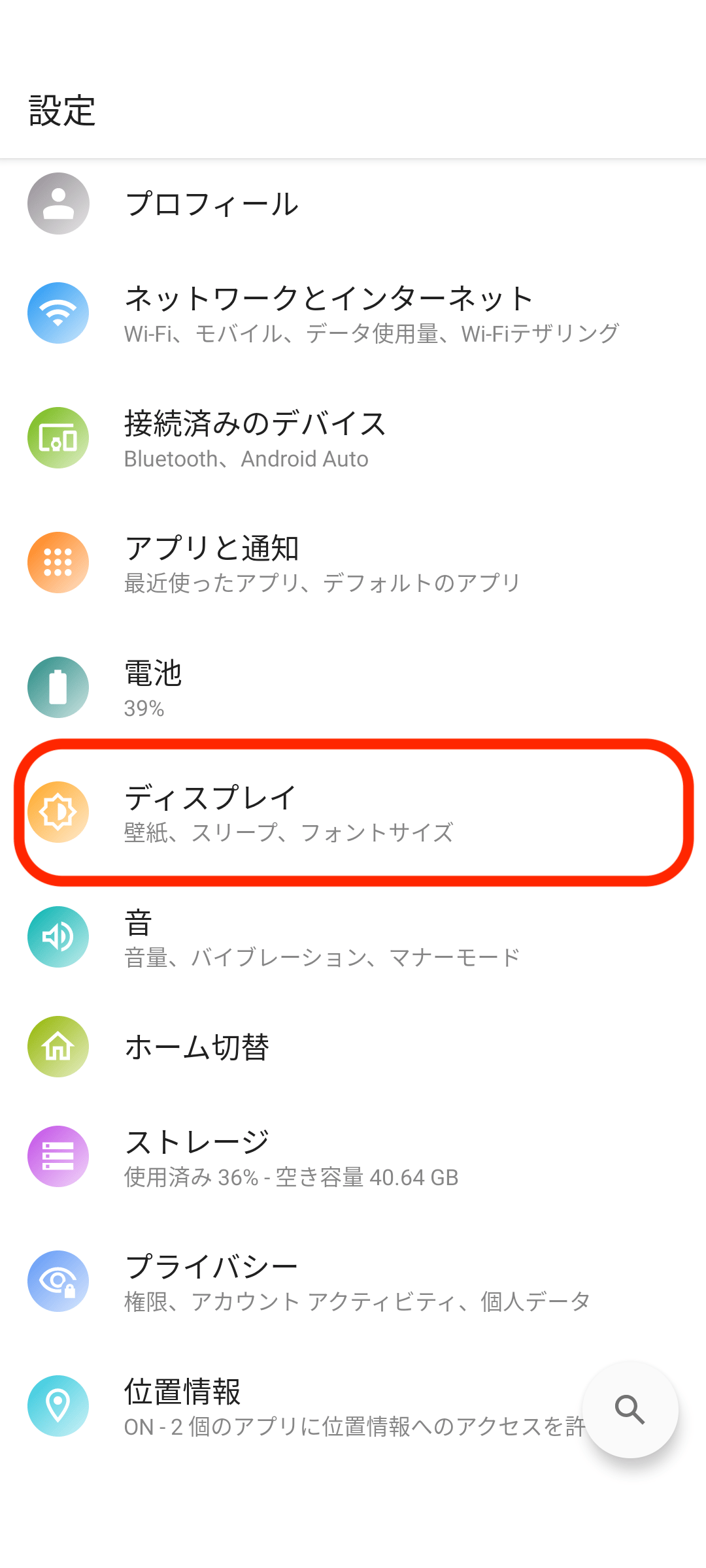
2. 「ディスプレイ」をタップします。\\
   <img src="https://mintcdn.com/comdesk/VgNeekM5ZhAc0Hxp/.gitbook/assets/12785391736345_1.png?fit=max&auto=format&n=VgNeekM5ZhAc0Hxp&q=85&s=c3e7202acfedb34eff0a7da44014c781" alt="_____________.png" width="1080" height="2400" data-path=".gitbook/assets/12785391736345_1.png" />
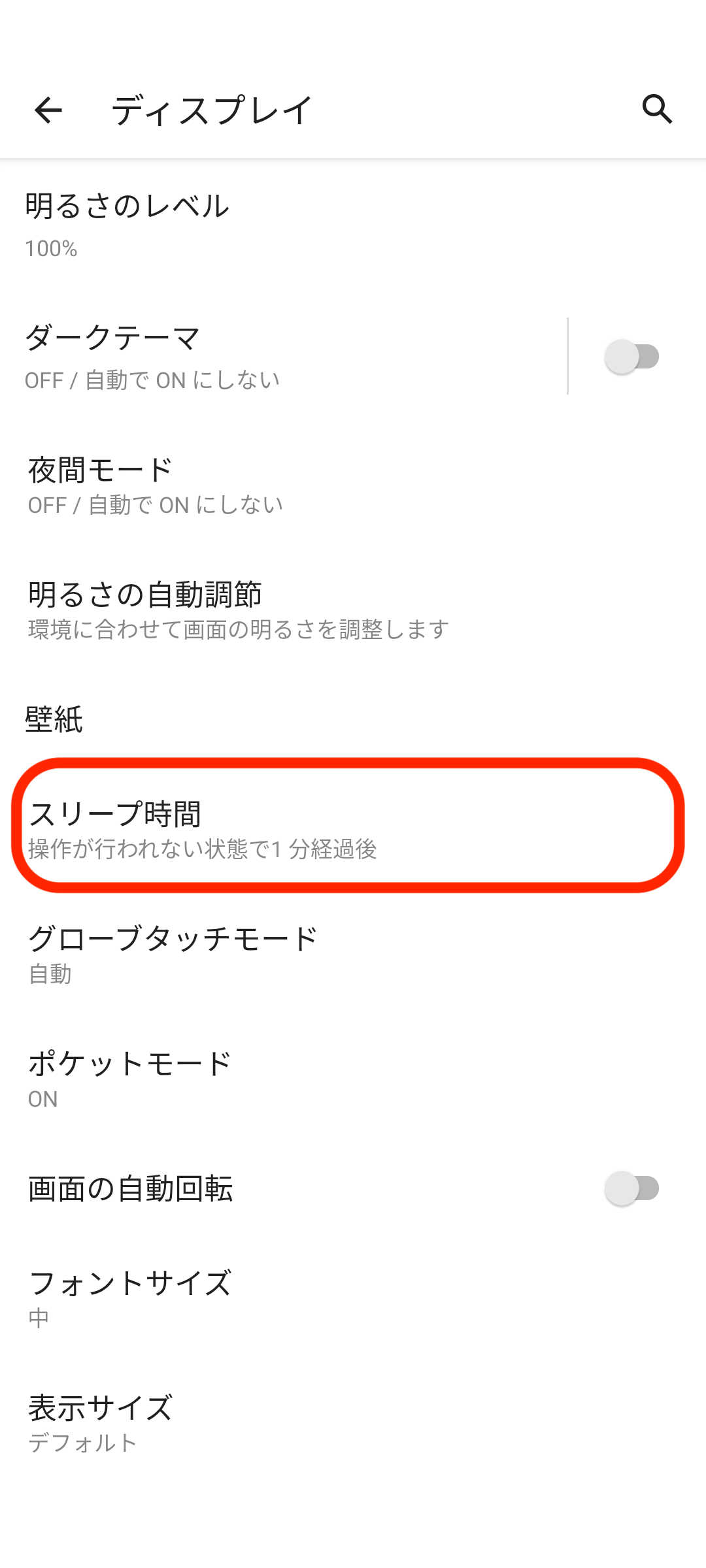
3. 「スリープ時間」をタップします。\\
   <img src="https://mintcdn.com/comdesk/VgNeekM5ZhAc0Hxp/.gitbook/assets/12785391736345_2.png?fit=max&auto=format&n=VgNeekM5ZhAc0Hxp&q=85&s=39a4c059f9545323a8f1b1c98e9089fc" alt="___________________.png" width="1080" height="2400" data-path=".gitbook/assets/12785391736345_2.png" />
4. 「スリープ時間」を設定します。\\
   <img src="https://mintcdn.com/comdesk/VgNeekM5ZhAc0Hxp/.gitbook/assets/12785391736345_3.png?fit=max&auto=format&n=VgNeekM5ZhAc0Hxp&q=85&s=da2247a084a28ee73fa8b1fc8f700f54" alt="_____________.png" width="1080" height="2400" data-path=".gitbook/assets/12785391736345_3.png" />
5. 希望の時間に設定したら変更完了です。

その他ご不明点などございましたら、[**サポートチームまでお問い合わせ**](#contact)をお願い致します。